
Table of Contents
You’ve probably already noticed that your eyes feel tired after hours of switching between your phone, computer, and distant objects. However, eye refocusing is only one part of visual comfort, so this guide explains how near-to-far focusing works, which daily habits can support comfortable vision, and when professional eye care is important.
Key Takeaways
- Eye refocusing is the process of adjusting visual focus when shifting attention between objects at different distances.
- Regular visual breaks can help reduce discomfort associated with prolonged near-screen viewing.
- Healthy eye habits include adequate sleep, regular blinking, appropriate lighting, UV protection, and balanced nutrition.
- Screen positioning matters because viewing distance, text size, brightness, glare, and posture can affect visual comfort.
- Eye exercises may support visual comfort in some situations but should not be presented as a cure for refractive errors or eye disease.
- Professional eye examinations can identify vision problems and eye diseases that may not cause obvious symptoms.
- Sudden vision loss, significant eye pain, double vision, flashes, or a sudden increase in floaters require prompt professional assessment.
What Does It Mean to Refocus Your Eyes?
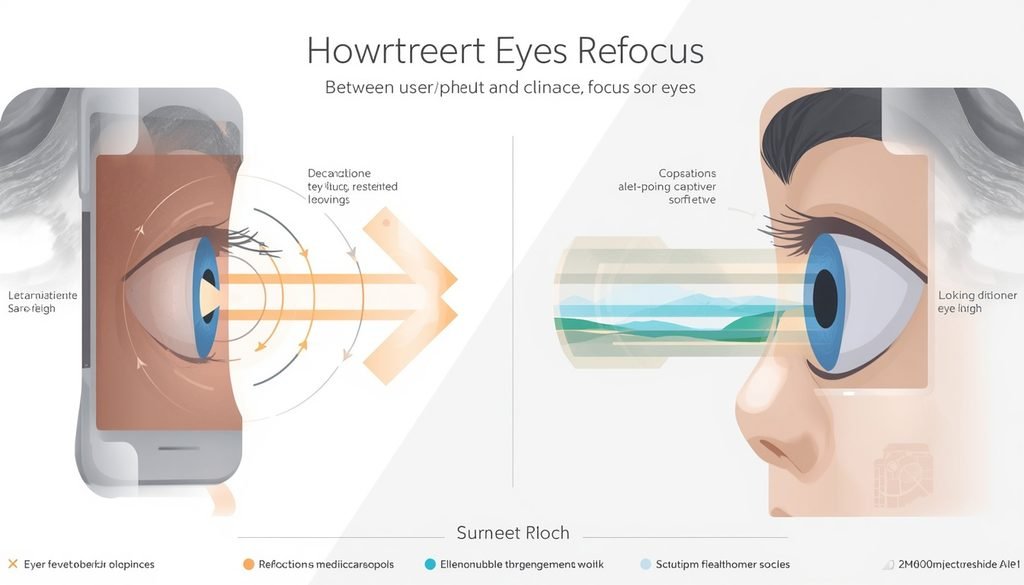
Eye refocusing is the process of adjusting the eye’s focus when shifting attention between objects at different distances. This focusing ability is particularly important when you move repeatedly between nearby screens and objects farther away.
For example, when you read a message on your phone and then look across the room, your visual system must adjust to the new viewing distance. This normal process involves accommodation, eye coordination, and changes in how the eyes direct their gaze.
Moreover, refocusing your eyes is not the same as improving overall eye health. Comfortable focusing can be affected by prolonged near work, fatigue, dryness, lighting, uncorrected vision problems, or other factors.
For example, a person may temporarily experience blurry vision after several hours of computer work even though the underlying issue is visual fatigue rather than permanent damage.
Near and Far Focus Explained
Near-to-far focusing means changing visual attention between objects at different distances. For example, looking from a laptop at 50–70 cm away to a tree across the street requires your visual system to adapt to a different distance.
At the same time, focusing discomfort can have several possible causes. Digital eye strain is associated with prolonged use of computers, tablets, e-readers, and smartphones, and symptoms can include eye discomfort, headaches, dry eyes, and blurred vision. (American Osteopathic Association)
If you’re interested, you can learn more about VisiFlora and its ingredients.
Why Does Eye Refocusing Matter for Visual Comfort?
Eye refocusing matters because comfortable vision depends on the eyes and visual system performing near and distance tasks without excessive strain. Prolonged near-screen work can place repeated demands on focusing and eye coordination.
For example, a student who studies from a laptop for several continuous hours may notice tired eyes, temporary blur, headaches, or difficulty switching focus afterward.
In addition, digital eye strain is associated with prolonged digital-device use, and discomfort may increase as screen exposure increases. The American Optometric Association identifies symptoms including eyestrain, headaches, blurred vision, dry eyes, and neck or shoulder discomfort. (American Osteopathic Association)
One AOA-reported survey found that 58% of adults experienced digital eye strain or vision problems related to computer use — Source: American Optometric Association, 2016. (American Osteopathic Association)
Why Blinking Matters
Blinking helps keep the surface of the eye moist. Screen users may blink less frequently or incompletely during concentrated near work, which can contribute to dryness and discomfort.
For example, someone intensely focused on a game may stare at the screen for extended periods and notice burning, dryness, or a gritty sensation.
Therefore, consciously blinking more often during screen tasks can support ocular comfort, particularly when combined with regular breaks.
For broader lifestyle support, healthy sleep habits because adequate rest is an important part of maintaining general health.
How Can You Refocus Your Eyes After Looking at a Screen?
You can help your eyes refocus comfortably by taking regular breaks, looking at distant objects, blinking frequently, and improving your screen setup. These strategies reduce prolonged uninterrupted near viewing.
For example, after working on a laptop, you can stop looking at the screen and focus on an object across the room or outside a window.
Try the 20-20-20 Rule
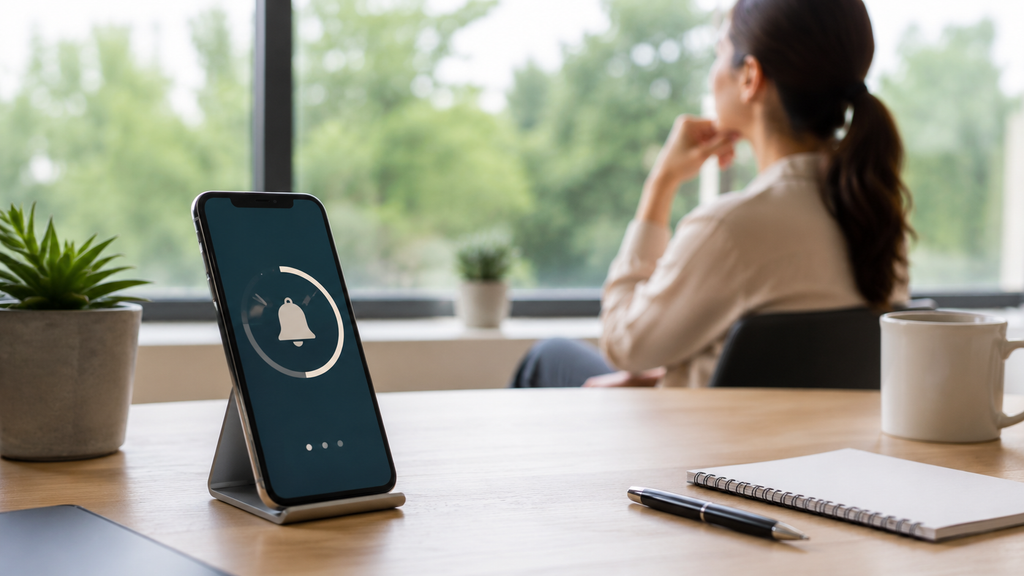
The 20-20-20 rule recommends looking at something about 20 feet away for 20 seconds every 20 minutes. The American Optometric Association recommends this approach to help alleviate digital eye strain. (American Osteopathic Association)
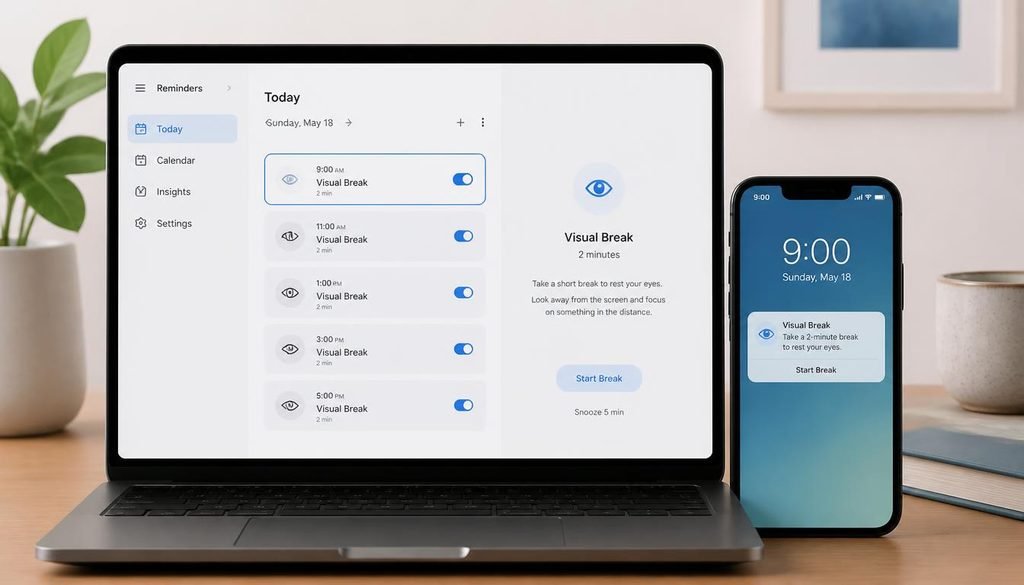
For example, if you begin working at 9:00 a.m., a reminder can prompt you every 20 minutes to look away from your monitor briefly.
Moreover, a visual break should mean looking away from the near screen, rather than switching from a computer to a phone. The goal is to interrupt prolonged close-up viewing.
Adjust Your Viewing Distance
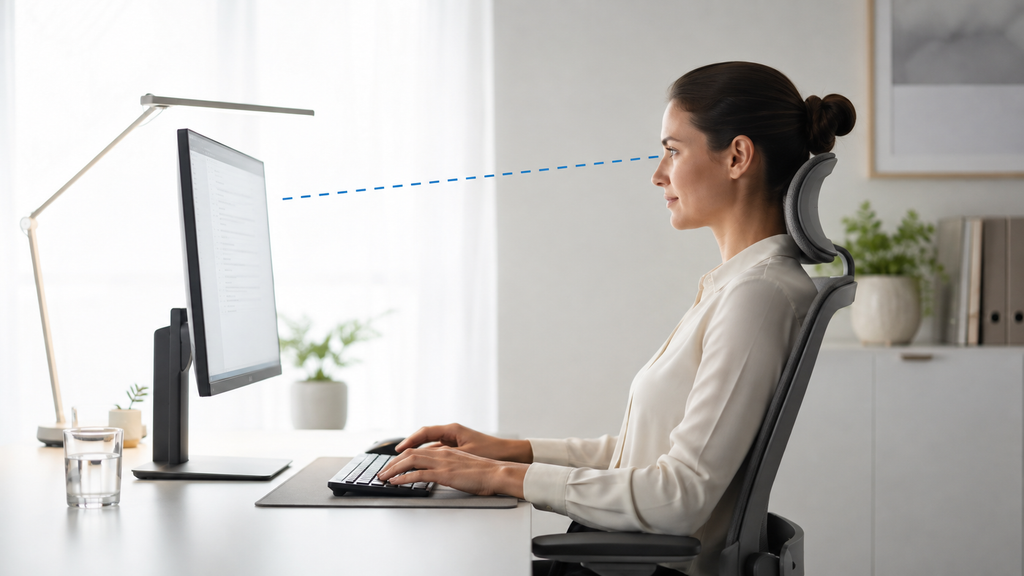
A comfortable viewing distance can reduce unnecessary visual demands during screen work. Your screen should be positioned so you can read comfortably without leaning toward it or squinting.
For example, increasing text size can be more useful than moving your face closer to a small font.
In addition, check your posture and monitor position. Poor seating posture and improper viewing distances can contribute to symptoms associated with computer vision syndrome. (American Osteopathic Association)
Reduce Glare and Improve Lighting
Reducing glare can make prolonged screen viewing more comfortable. Bright windows, reflections, and poorly positioned lights can make you work harder to see the display.
For example, repositioning a monitor away from direct window reflections may make text easier to read.
Can Eye Exercises Improve Your Ability to Focus?
Eye exercises may help certain diagnosed focusing or eye-coordination problems, but they should not be promoted as a universal cure for poor eyesight or eye disease. Different causes of blurry or uncomfortable vision require different solutions.
For example, someone with an uncorrected refractive error may need prescription glasses or contact lenses rather than relying on exercises.
At the same time, eye exercises are not a substitute for professional eye care. If blurry vision continues after reducing screen exposure, an eye-care professional can determine whether an underlying vision problem is contributing to the symptoms.
A Simple Refocusing Practice
A gentle near-to-far viewing routine can provide a structured break from continuous near work. Look at a nearby object briefly, then shift your attention to a distant object and allow your vision to settle naturally.
For example:
- Look at your screen normally.
- Pause and look at a distant object.
- Blink several times naturally.
- Keep your gaze on the distant object for a short period.
- Return to your normal activity.
This routine is intended as a visual break rather than a treatment for refractive errors or eye disease.
How Does Screen Time Affect Eye Comfort and Focus?
Prolonged screen use can contribute to digital eye strain, which may cause temporary eye discomfort, dryness, headaches, and blurred vision. Digital eye strain is associated with the visual demands of sustained computer, tablet, e-reader, and smartphone use. (American Osteopathic Association)
For example, a gamer who plays for several uninterrupted hours may develop tired or dry eyes and temporary difficulty focusing.
The American Optometric Association reports that people who spend two or more continuous hours using a computer or digital device each day are at greater risk of digital-eye-strain symptoms — Source: American Optometric Association, current clinical guidance. (American Osteopathic Association)
Moreover, uncorrected vision problems can make digital eye strain symptoms more noticeable. Someone who needs an updated prescription may strain more when trying to read small text on a monitor. (American Osteopathic Association)
how to reduce screen-related fatigue
What Daily Habits Support Better Eye Health?
Better eye health depends on consistent habits that support your eyes and overall health rather than a single exercise or supplement. The National Eye Institute recommends healthy lifestyle practices, eye protection, and appropriate eye examinations as part of maintaining healthy vision. (National Eye Institute)
Get Enough Sleep
Adequate sleep supports overall health and can help you manage fatigue associated with demanding daily activities. For example, staying awake late to study or game can make your eyes feel tired the following day.
For more related guidance, healthy sleep habits.
Stay Physically Active
Regular physical activity supports overall health and can help reduce the risk of conditions that may affect vision. The National Eye Institute notes that healthy choices, including being active and eating well, can help lower the risk of health conditions such as diabetes and high blood pressure that can contribute to eye problems. (National Eye Institute)
Protect Your Eyes From UV Exposure
UV protection is an important part of protecting your eyes during outdoor activities. Sunglasses that provide appropriate UV protection can help reduce exposure to ultraviolet radiation.
For example, wear suitable sunglasses when spending extended periods outdoors in strong sunlight.
Avoid Smoking
Avoiding smoking supports overall health and is part of a broader approach to protecting long-term vision. Eye health should be considered alongside cardiovascular, metabolic, and general health.
If you’re interested, you can learn more about VisiFlora and its ingredients.
What Foods and Nutrients Support Normal Eye Health?
A balanced diet provides nutrients that support normal eye and overall health. The National Eye Institute specifically highlights eye-healthy foods such as salmon and kale as examples of nutritious choices. (National Eye Institute)
For example, a balanced meal can include vegetables, fruits, whole grains, protein sources, and healthy fats rather than relying on one “eye health” food.
Build a Balanced Diet
A varied diet is more useful than depending on a single food or supplement for eye health. Nutrient-rich foods can contribute to overall nutritional adequacy while supporting general wellness.
For example, leafy greens, colorful vegetables, fruits, nuts, seeds, fish, and other nutritious foods can fit into a balanced eating pattern.
You can connect this section to [healthy foods for daily nutrition → suggested nutrition guide] or [protein-rich foods for a healthy diet → suggested protein-food article].
If digestive comfort is another concern, your article on [easy-to-digest foods → suggested digestive-food article] can provide related nutrition information.
Importantly, supplements should not be presented as a replacement for diagnosis or treatment of an eye condition. Nutritional needs vary, and people with specific medical conditions should discuss supplements with an appropriate healthcare professional.
How Can You Reduce Digital Eye Strain?
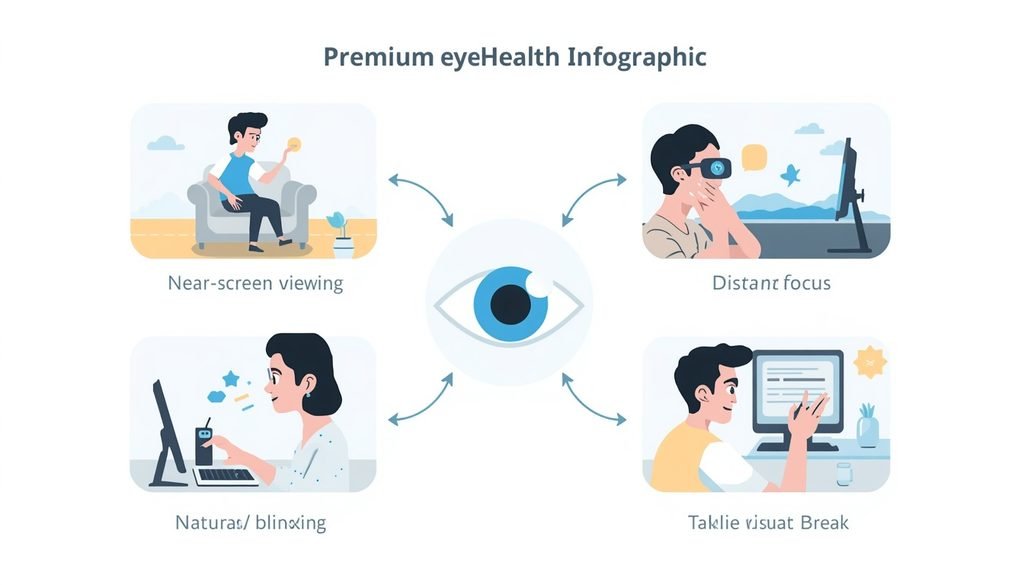
You can reduce digital eye strain by combining regular breaks, frequent blinking, comfortable screen positioning, appropriate lighting, and properly corrected vision. No single adjustment works for everyone.
| Strategy | Practical example | Purpose |
|---|---|---|
| Visual breaks | Look into the distance regularly | Interrupt prolonged near viewing |
| Blinking | Blink naturally and frequently | Support eye-surface moisture |
| Text size | Increase small fonts | Reduce squinting and leaning forward |
| Glare control | Reposition lights or windows | Improve visual comfort |
| Screen distance | Keep the display comfortably positioned | Reduce unnecessary visual demand |
| Prescription eyewear | Use the correct prescription | Address refractive errors |
| Lighting | Avoid very bright or dim conditions | Improve screen readability |
Use Artificial Tears When Appropriate
Artificial tears may help some people with dry-eye symptoms, but persistent dryness should be evaluated when it does not improve. For example, someone with occasional screen-related dryness may discuss suitable lubricating drops with a pharmacist or eye-care professional.
Moreover, not every eye symptom is caused by screen use. Persistent discomfort, redness, pain, or vision changes deserve appropriate evaluation.
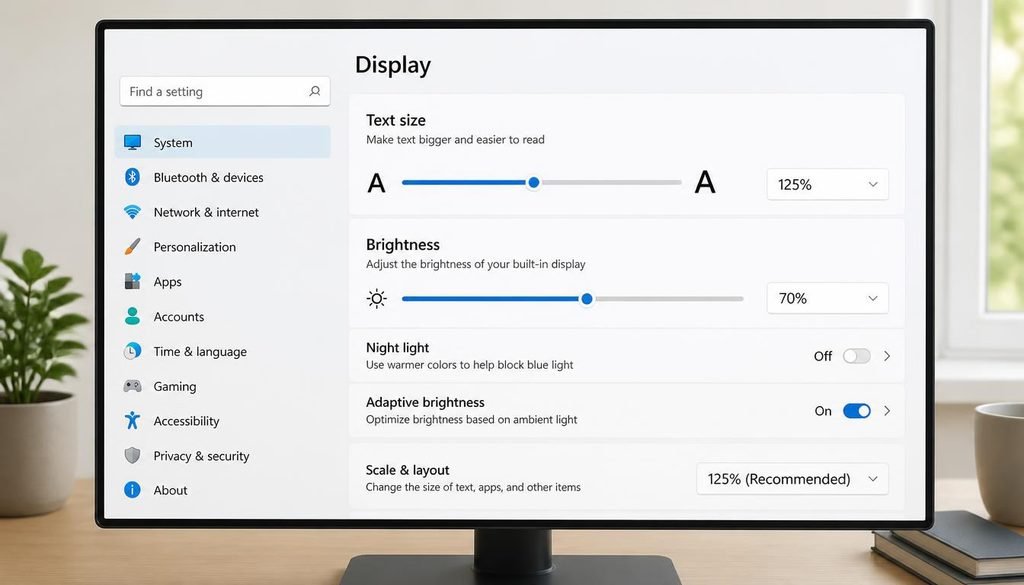
Make Text Easier to Read
Larger text can reduce the need to squint or move closer to the screen. For example, increasing browser zoom from 100% to 125% may make long articles easier to read comfortably.
How Often Should You Get an Eye Exam?
The appropriate frequency of eye examinations depends on your age, health, family history, symptoms, and risk of eye disease. There is no single examination schedule that applies equally to every person.
For example, the National Eye Institute recommends discussing the appropriate frequency with an eye doctor and notes that people with certain risk factors may require more frequent dilated examinations. (National Eye Institute)
The National Eye Institute states that a dilated eye examination is the best way to detect many eye diseases early, including conditions that may not produce obvious symptoms. (National Eye Institute)
Therefore, don’t wait for severe symptoms before considering professional eye care.
When Does Blurry Vision Require Professional Eye Care?
Persistent, worsening, or unexplained blurry vision should be evaluated by an eye-care professional rather than treated only with exercises or screen breaks. Temporary blur after prolonged screen use may occur with digital eye strain, but continued symptoms can have other causes. (American Osteopathic Association)
For example, an outdated prescription, dry eye, focusing problems, or another eye condition can contribute to blurred vision.
Seek prompt professional attention for sudden vision loss, significant eye pain, double vision, flashes of light, or a sudden increase in floaters. These symptoms can require urgent assessment rather than self-treatment.
The National Eye Institute emphasizes that many eye diseases can develop without obvious warning signs, making appropriate eye examinations important even when your eyes appear healthy. (National Eye Institute)
What Tools and Examples Can Help Refocus Eye Health?
Simple tools can make healthy eye habits easier to follow consistently. The most useful tools are those that support breaks, readability, comfortable positioning, and appropriate eye care.
Consider using:
- Screen-break reminders to prompt regular visual breaks.
- Larger text settings to improve readability.
- Monitor adjustments to reduce reflections and glare.
- Appropriate prescription eyewear when recommended.
- Artificial tears when appropriate for dry-eye symptoms.
- Comfortable workstation positioning for prolonged computer use.
- Outdoor time and UV protection as part of broader healthy habits.
- Regular eye examinations based on individual risk and professional advice.
For nutrition-related lifestyle content, you can also connect [foods that are digested quickly → suggested digestive-food article] or [weight management and healthy eating → suggested weight-management article] where appropriate.
What’s Next for Better Eye Health?
The simplest way to support comfortable vision is to turn healthy eye habits into a repeatable daily routine. Consistency matters more than relying on one special exercise, food, or supplement.
Start with this simple routine:
- Adjust your workspace so your screen is comfortable to view.
- Take regular visual breaks during prolonged near-screen work.
- Blink regularly instead of staring continuously at the display.
- Increase text size when reading small content.
- Reduce glare from windows and artificial lighting.
- Spend time outdoors while using appropriate UV protection.
- Maintain balanced nutrition rather than relying on a single “eye health” food.
- Stay physically active and maintain healthy lifestyle habits.
- Use prescribed eyewear correctly if you need vision correction.
- Arrange appropriate eye examinations according to your personal risk and professional advice.
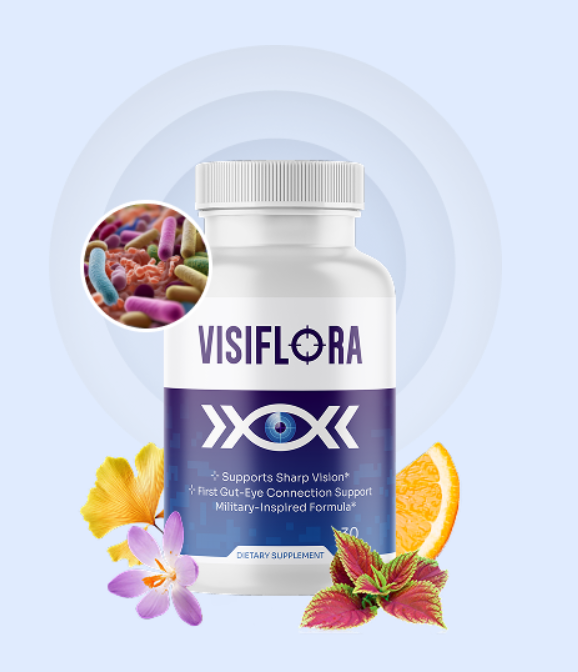
If you’re interested, you can learn more about VisiFlora and its ingredients.
Conclusion
Refocusing your eyes is a normal visual process, while maintaining eye health requires consistent habits and appropriate professional care. Looking away from screens, blinking regularly, reducing glare, using comfortable viewing distances, eating a balanced diet, staying active, and protecting your eyes from UV exposure can all support healthier daily habits.
At the same time, eye exercises and screen breaks should not be used as substitutes for prescription eyewear, diagnosis, or treatment when a vision problem exists. If you experience persistent blurry vision, significant pain, double vision, sudden vision loss, flashes, or a sudden increase in floaters, seek professional eye care promptly.
Finally, make eye health part of your everyday routine rather than something you address only when discomfort appears. Small, consistent habits can support comfortable vision, while regular professional assessment helps identify problems that lifestyle changes alone cannot diagnose.
Written by myserioi.com Editorial Team — Health & Fitness Content Team
Reviewed by Qualified Eye-Care Professional — Clinical review recommended before publication
Disclaimer: This article was initially drafted using AI assistance. However, the content should undergo thorough human editing, fact-checking, and review by an appropriately qualified eye-care professional before publication to ensure medical accuracy.
Affiliate Disclosure: This post may contain affiliate links. We may earn a commission if you purchase through our link, at no extra cost to you.